
Content list
Open Content in the sidebar and pick a type — Pages, Posts, Events, Insights, and so on. The main area shows that type’s list table.
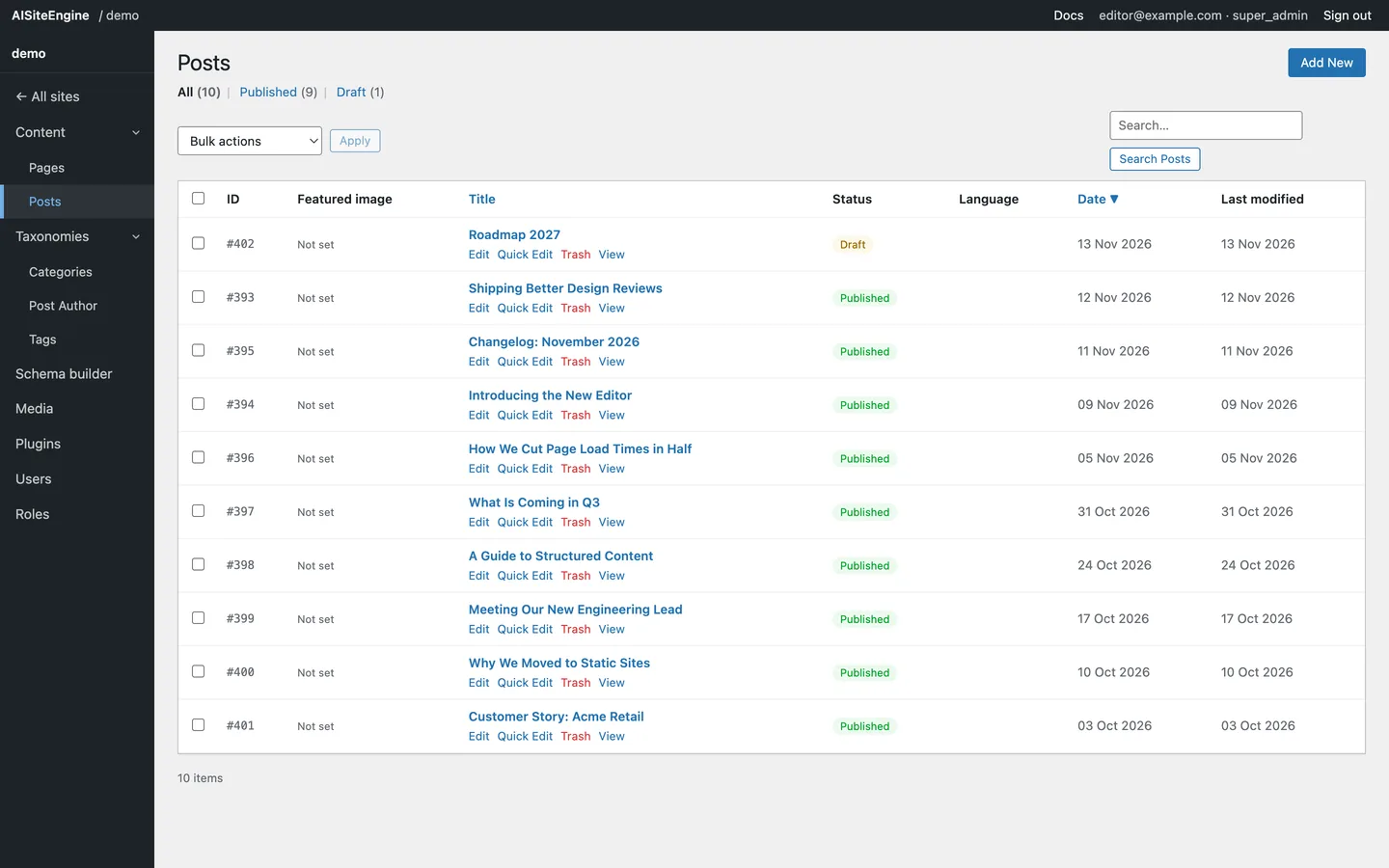
The list table
Section titled “The list table”| Column | Meaning |
|---|---|
| ID | The record’s numeric ID, e.g. #111 |
| Featured image | The thumbnail, or Not set |
| Title | The title, with row actions underneath: Edit, Quick Edit, Trash, View |
| Status | Published, Draft or Trash |
| Language | The language term, when the site is multilingual |
| Date | Created date, sortable |
| Last modified | When the record last changed |
Filtering
Section titled “Filtering”Above the table:
- All (n) · Published (n) · Draft (n) — live counts for the current type. Click one to filter.
- Search — matches titles. Press Enter or click Search.
- Bulk actions — select rows with the checkboxes, choose Move to Trash, then Apply.
Sorting and paging
Section titled “Sorting and paging”Click the Date or Title header to sort; click again to reverse. The list shows 20 items per page with numbered pagination beneath the table.
Add new
Section titled “Add new”The Add New button (top right) opens a blank record of the current type. See Add and edit.